
Artome Connect has options to enhance the security of your Artome device. These settings are located in the Settings tab.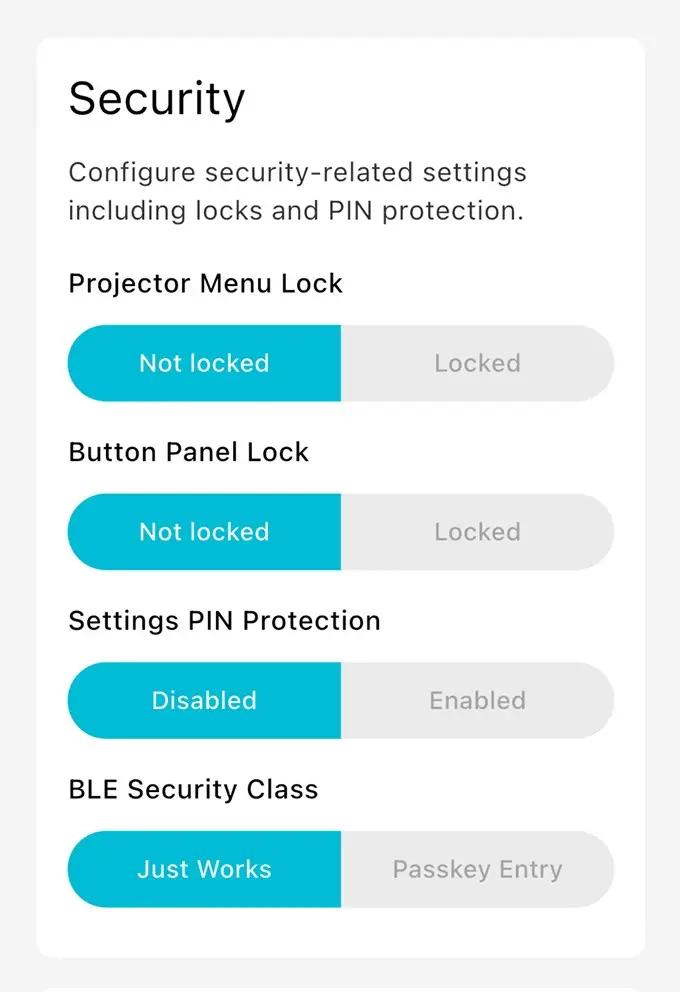
Projector Menu Lock
This setting disables access to the projector menu by disabling the menu button of the Artome Remote. Additionally, this setting disables the physical buttons of a projector for some projector models.
Button Panel Lock
This setting disables the physical button panel of the Artome unit. Artome Connect app and Artome Remote can still be used to control the device.
Settings PIN Protection
Limit access to the settings tab by enabling settings PIN. This prevents Artome Connect app users from changing any unwanted settings but still allows using the app as a remote.
BLE Security Class
Selecting Passkey Entry enables Bluetooth pairing PIN which needs to be input when pairing a new device. This enhances the security and prevent unwanted use of your Artome device.