
Artome Connect propose des options pour renforcer la sécurité de votre appareil Artome. Ces paramètres se trouvent dans l'onglet Paramètres.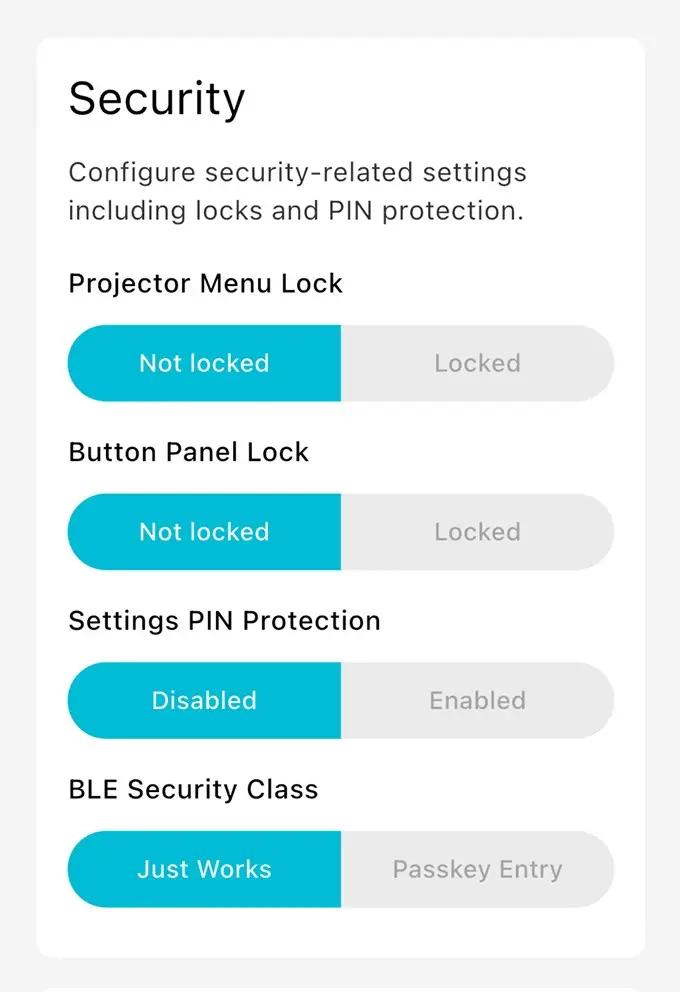
Verrouillage du menu du projecteur
Ce paramètre désactive l'accès au menu du projecteur en désactivant le bouton de menu de la télécommande Artome. De plus, ce paramètre désactive les boutons physiques d'un projecteur pour certains modèles de projecteurs.
Verrouillage du panneau de boutons
Ce paramètre désactive le panneau de boutons physiques de l'appareil Artome. L'application Artome Connect et Artome Remote peuvent toujours être utilisées pour contrôler l'appareil.
Protection par code PIN des paramètres
Limitez l'accès à l'onglet des paramètres en activant le code PIN des paramètres. Cela empêche les utilisateurs de l'application Artome Connect de modifier les paramètres non désirés tout en leur permettant d'utiliser l'application comme télécommande.
Classe de sécurité BLE
La sélection de la saisie de clé d'accès active un code PIN de jumelage Bluetooth qui doit être saisi lors du jumelage d'un nouveau dispositif. Cela renforce la sécurité et empêche l'utilisation non désirée de votre appareil Artome.