
Contrôlez l'expérience
Améliorez votre Artome
Une application
Contrôle total
Aller au-delà des commandes de base et adapter Artome à l’espace et à la manière dont vous l’utilisez. Artome Connect vous permet d’accéder aux paramètres de l’appareil, de l’audio, du réseau et de la sécurité. Configurez les entrées et sorties audio, ajustez les niveaux et gérez les paramètres spécifiques à chaque appareil depuis un seul endroit.
Les mises à jour simplifiées.
Gardez votre appareil
à jour
Vérifiez la version du firmware installé, consultez la disponibilité d’une nouvelle version et mettez à jour votre Artome directement depuis l’application. Artome Connect permet de maintenir le logiciel de votre appareil à jour sans nécessiter de procédures d’installation compliquées.
Informations relatives au support et aux conseillers
Informations sur l'appareil
Lorsque vous en avez besoin
Accédez à des informations importantes concernant votre Artome, notamment son modèle, son numéro de série, sa version du firmware et de l’équipement.
Des informations de support et d’assistance peuvent également être disponibles directement dans l’application, ce qui facilite la recherche des informations nécessaires en cas de besoin d’assistance.
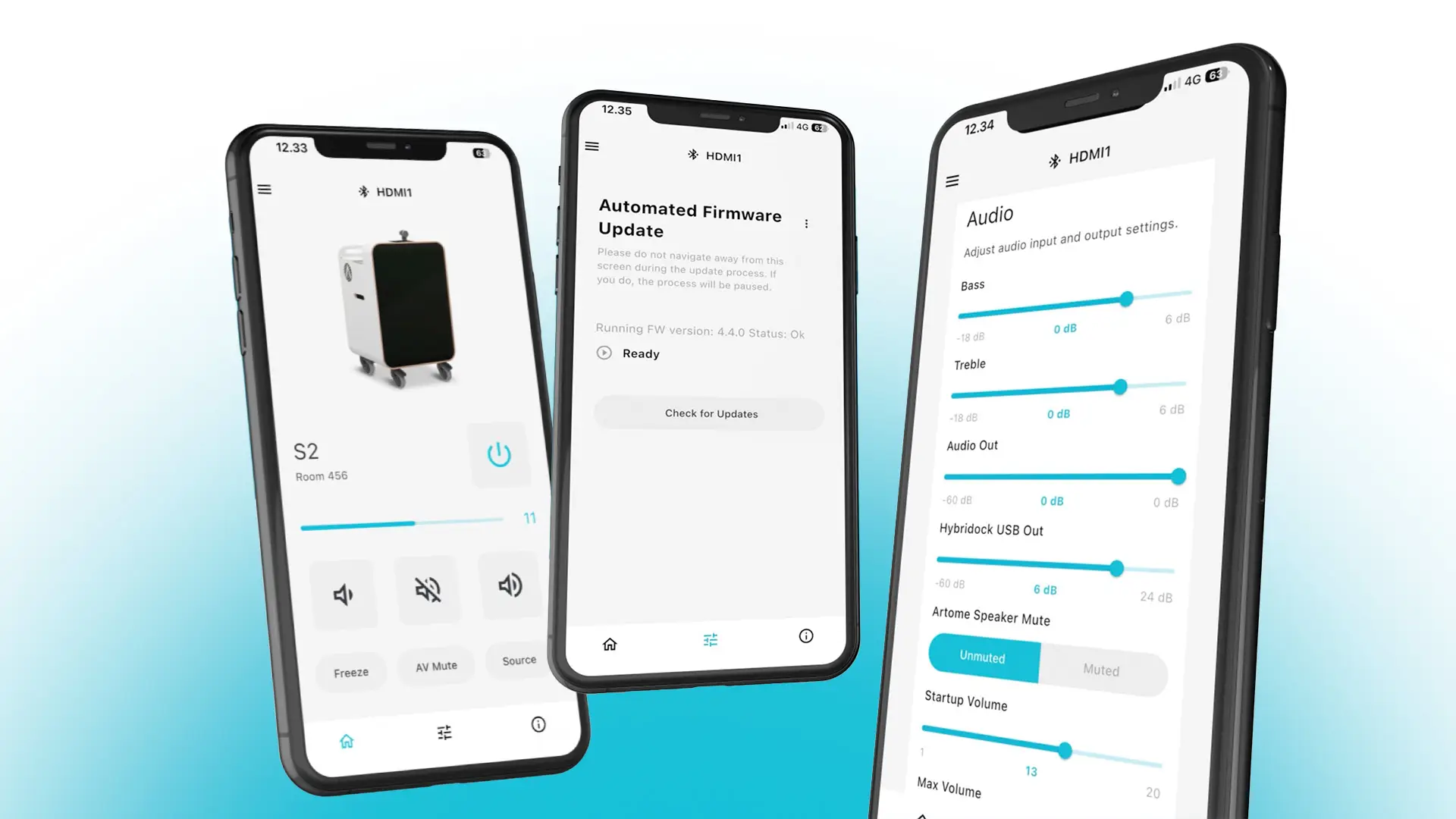
Paramètres DSP via l’application Artome Connect
Graves et aigus
Ajustez les niveaux de basse et de haute fréquence pour personnaliser le son selon vos préférences.
Volume Maximum
Configurez le niveau de volume maximal de la chaîne audio de l'appareil Artome.
Gain d'entrée
Ajustez la sensibilité des entrées XLR lorsque le mode « ligne » est sélectionné.
Sélecteur de micro et ligne
Choisissez le niveau microphone ou ligne pour les entrées microphone.
Sortie USB Hybridock
Ajustez le niveau de sortie USB du Hybridock pour la vidéoconférence.
Appuyez sur le bouton « Speaker » pour supprimer la voix du haut-parleur.
Inhibez les haut-parleurs internes d'Artome lorsque vous utilisez un système audio externe.
Volume auxiliaire
Réglage du niveau de volume de l’entrée AUX non équilibrée.
Volume de la sortie audio
Ajustez le niveau de sortie du connecteur Audio Out.
Télécharger
Obtenez Artome Connect
Téléchargez Artome Connect depuis App Store ou Google Play et prenez le contrôle de votre Artome depuis votre téléphone.